
Aadhaar Card update allows residents to correct or change their personal details such as name, address, mobile number, date of birth, and photograph in their Aadhaar record. Whenever any information in Aadhaar becomes incorrect or outdated, UIDAI provides online and offline options to update it so that your Aadhaar remains accurate and valid for all official purposes.
Documents Required for Aadhaar Update
| Update Type | Document Category | Accepted Documents (Examples) |
|---|---|---|
| Name Correction / Change | POI (Proof of Identity) | Passport, PAN Card, Voter ID, Driving Licence, Govt-issued Photo ID, Ration Card with Photo |
| Address Update | POA (Proof of Address) | Passport, Bank or Post Office Passbook, Electricity/Water/Gas Bill, Telephone or Broadband Bill, Voter ID, Driving Licence, Registered Rent Agreement |
| Date of Birth Update | Proof of DOB | Birth Certificate, Passport, PAN Card, School Leaving Certificate, SSLC Certificate, Marksheet showing DOB |
| Gender Update | Self declaration | No document required (self-declaration accepted) |
| Mobile Number Update | OTP Verification | No document required, mobile number verified via OTP |
| Email ID Update | OTP Verification | No document required, email verified online |
| Relationship Details (Care of / S/O / W/O / D/O) | POR (Proof of Relationship) | Birth Certificate, Marriage Certificate, Passport, Ration Card, MNREGA Job Card, Government Family Certificate |
| Photograph Update | Not required | Photograph taken at Aadhaar centre |
| Biometric Update (Fingerprints, Iris) | Not required | Biometrics captured at Aadhaar centre |
Aadhaar Card Update
Aadhaar update process allows residents to correct or change their personal details in their Aadhaar record whenever the information becomes incorrect or outdated. Whether it is an address change, mobile number update, name correction, or date of birth modification, UIDAI provides both online and offline options to ensure Aadhaar details remain accurate and up to date for all official and financial uses.
Online Update
Online updates are limited to the myAadhaar portal and require a registered mobile number for OTP verification. No biometric authentication is needed, making it suitable for remote access. You cannot update biometrics, name, date of birth (if already updated once or without specific conditions), gender, or other demographics beyond address. If your mobile number isn’t registered, you must first add it offline at an enrolment centre.
- Navigate to myAadhaar portal (myaadhaar.uidai.gov.in) and click “Login“.
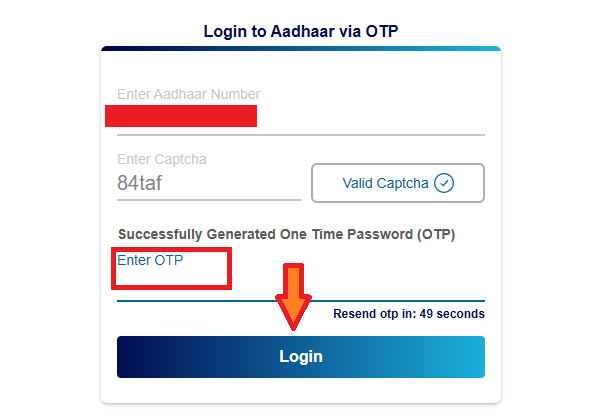
- Enter your 12-digit Aadhaar number and captcha code, then click “Send OTP“.
- Enter the OTP received on registered mobile number and complete authentication.
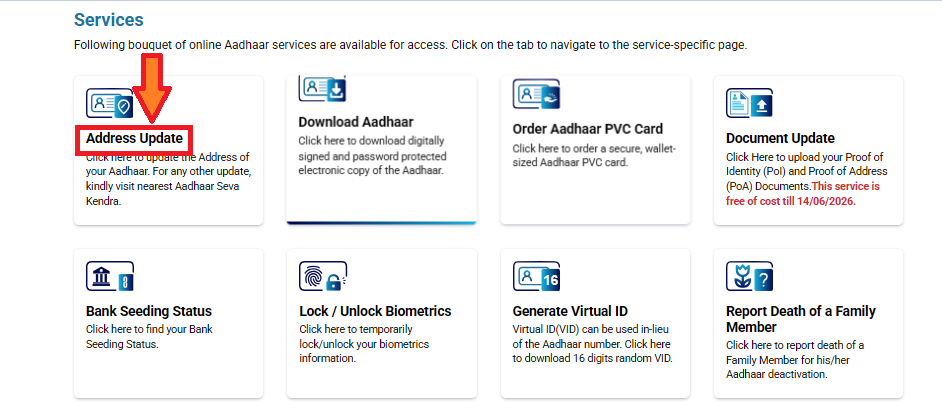
- Select “Address Update” option from the dashboard menu.
- Click “Update Aadhaar Online” and read the guidelines carefully.
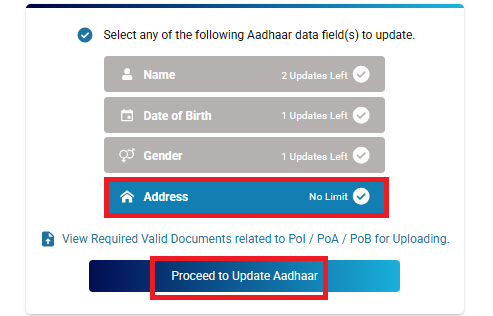
- Select “Address” as the update type and click “Proceed to Update Aadhaar“.
- Enter your new address details in the required fields and upload valid address proof documents.
- Review entered information for accuracy and click “Next“.
- Preview all changes and make payment (₹50 after June 14, 2026).
- Click “Submit” and note the Service Request Number (SRN) for tracking.
Document Update Process
- Access myAadhaar portal and login with Aadhaar credentials.
- Select the “Document Update” option from the main menu.
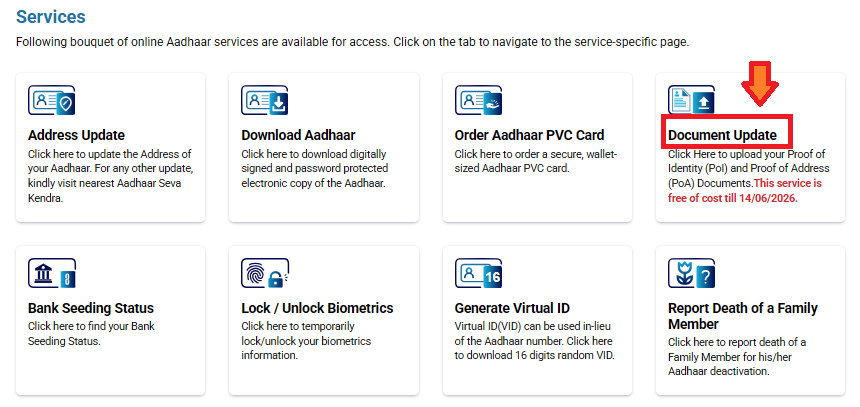
- Read guidelines and click “Next” to proceed.
- Verify demographic details and tick “I verify that the above details are correct“.
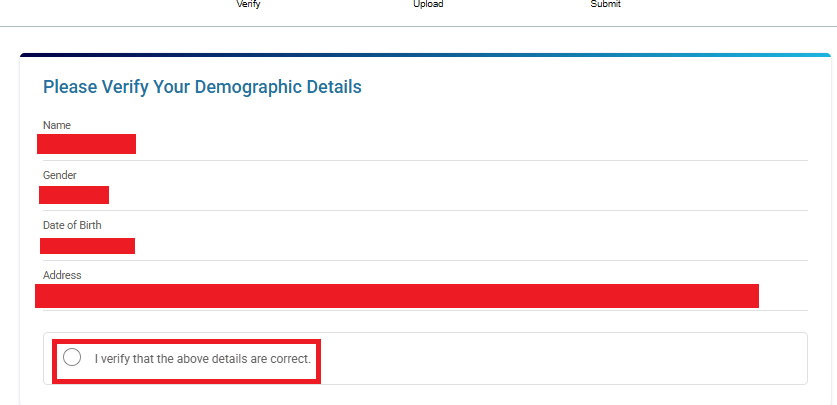
- Upload Proof of Identity and Proof of Address documents in acceptable formats.
- Click “Submit” and receive Service Request Number (SRN) via email.
Offline Update Process at Aadhaar Centers
Offline updates are handled at Permanent Aadhaar Enrolment Centres or Aadhaar Seva Kendras. This mode supports all types of updates, including those not possible online, with operator assistance for form filling, document verification, and biometric capture.
- Fill Aadhaar Correction/Update Form available at the center.
- Submit form with original documents to the operator for verification.
- Provide biometric authentication (fingerprints or iris scan) if required.
- Operator scans documents and captures updated information in the system.
- Pay applicable fees (₹50 for demographic updates, ₹100 for biometric updates).
- Receive acknowledgment receipt with Update Request Number (URN) or Service Request Number (SRN).
- Track update status using URN/SRN on the UIDAI portal.
Update Mobile Number in Aadhaar
Aadhaar card mobile number update is an important process because all Aadhaar services such as OTP verification, Aadhaar download, and status checking depend on your registered mobile number. Unlike address updates, mobile number change cannot be done online and must be completed only through an Aadhaar Enrolment or Update Centre.
You can update your Aadhaar mobile number at:
- Any UIDAI-authorised Aadhaar Enrolment Centre
- Aadhaar centres located in banks, post offices, or government offices
These centres are available in most cities and towns across India.
- Visit your nearest Aadhaar Enrolment or Update Centre.
- Ask for the Aadhaar Update Form.
- Enter your Aadhaar number and your new mobile number in the form.
- Submit the form to the operator.
- Your biometric or OTP verification will be done.
- The operator will process your request in UIDAI’s system.
- You will receive an Update Request Number (URN) as proof.
The mobile number is usually updated within 7 to 10 working days, though in some cases it may take up to 30 days.
Check Aadhaar Update Status
After submitting a request to update your Aadhaar details, you can track its progress online to know whether it is under process, approved, or completed.
Steps to check Aadhaar update status:
- Visit the UIDAI My Aadhaar portal.
- Select “Enrolment & Update Status.”
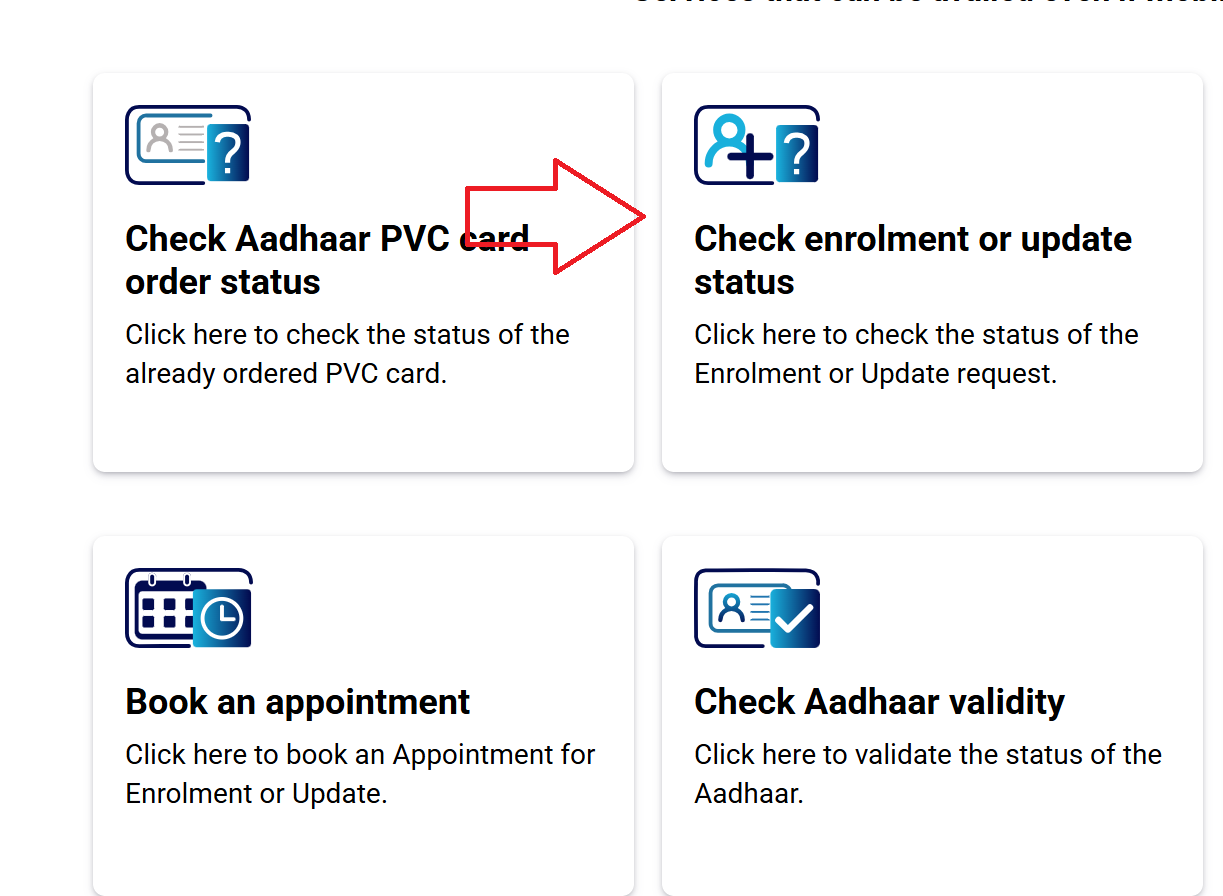
- Enter your Update Request Number (URN) or Enrolment ID (EID).
- Enter the captcha code.
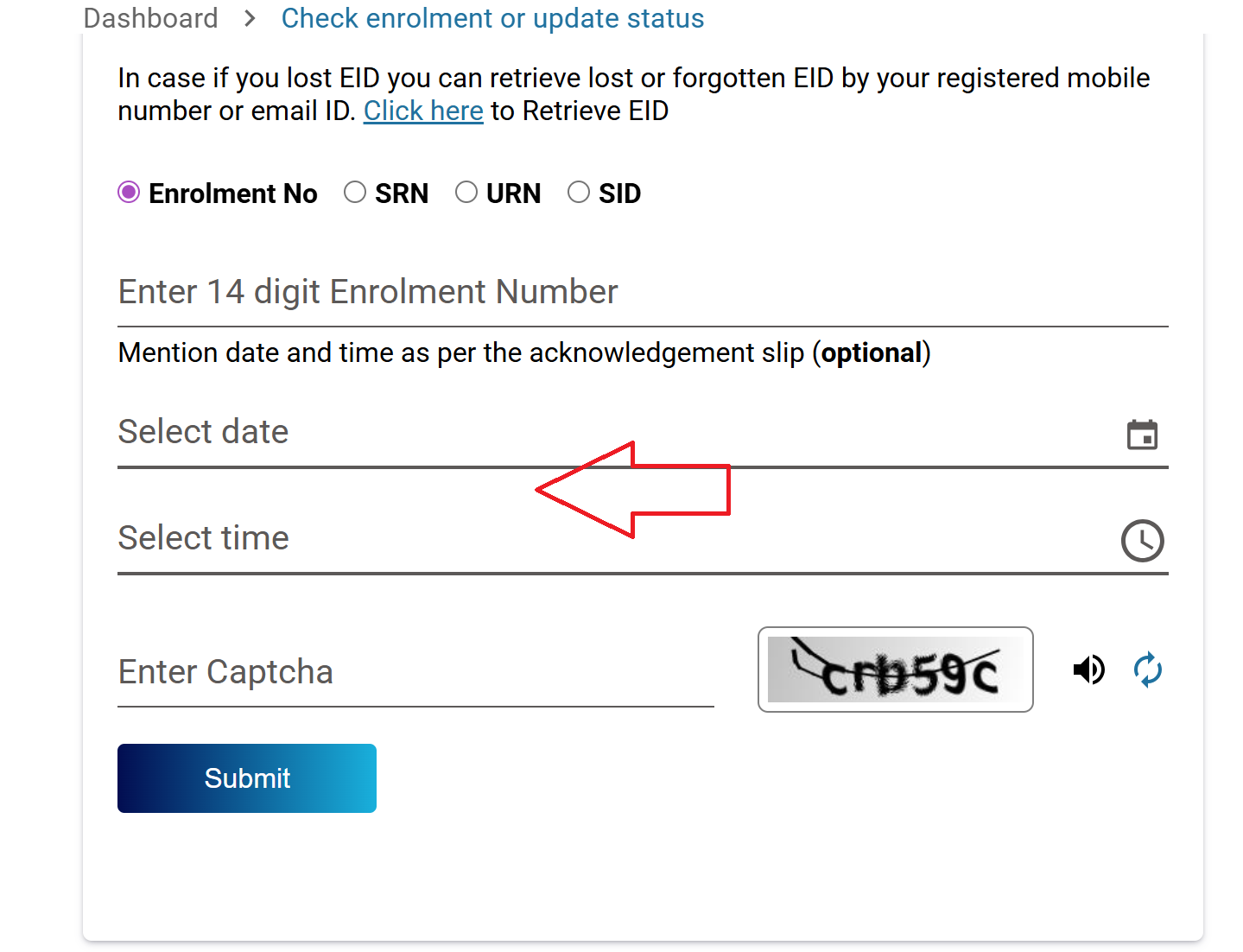
- Click on “Submit.”
- Your Aadhaar update status will be displayed on the screen.
Aadhaar Update Fees Structure
| Service | Fee / Charge | Notes |
|---|---|---|
| Demographic Update (name, address, DOB, etc.) | ₹75 at enrolment centre/portal | Revised from ₹50 to ₹75 effective Oct 1, 2025. |
| Biometric Update (fingerprint, iris, photo) | ₹125 | Increased from previous rates; applies to adults. |
| Update via MyAadhaar portal | Free until June 14, 2026 (may change later) | UIDAI has offered free online demographic updates via portal until mid-2026 in some cases. |
| Home enrolment / on-site service | ₹700 per person | Separate charge for in-home visit service by UIDAI. |
UIDAI has updated Aadhaar update fees recently, with most demographic updates and biometric changes now costing ₹75–₹125 depending on the service type. Home-visit services and special cases have separate charges. Using online portals where free or lower-cost updates are offered can save money.
Aadhaar Update – FAQs
Aadhaar update is the process of correcting or changing personal details such as name, address, mobile number, date of birth, or biometrics in your Aadhaar record maintained by UIDAI.
You can update your address, mobile number, and email ID online through the My Aadhaar portal. Other changes like name, date of birth, photo, and biometrics require a visit to an Aadhaar centre.
Aadhaar update requests are usually processed within 7 to 30 days, depending on document verification and UIDAI processing.
You can check the status using the Update Request Number (URN) on the UIDAI My Aadhaar portal.
Yes. Children must update their biometrics when they turn 5 and 15 years to keep Aadhaar valid.